
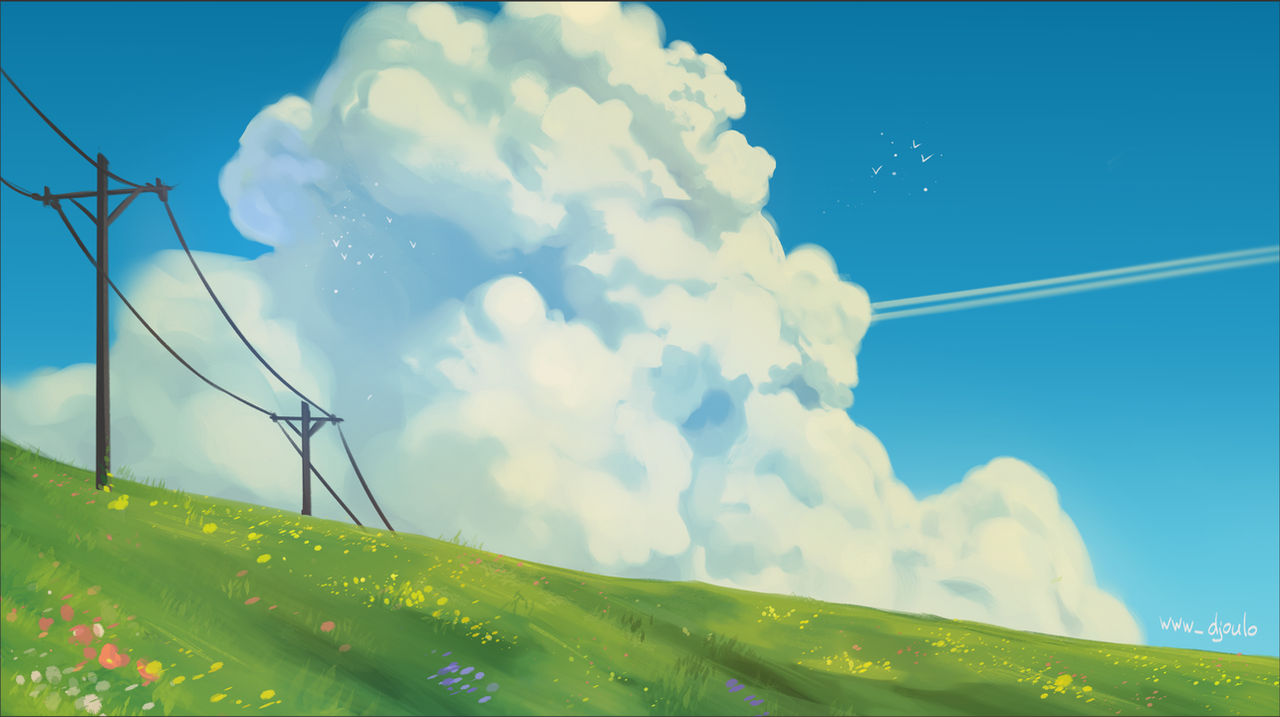
Studio Ghibli’s art style is known for its hand-painted textures, vibrant colors, and dreamlike landscapes. With advancements in AI, you can now create similar visuals without professional training or expensive software. This guide explores how to generate Ghibli-style images using AI tools like ChatGPT and Google Gemini.
Understanding the Studio Ghibli Aesthetic
To achieve a Ghibli-like style, keep these key elements in mind:
- Hand-painted textures – AI-generated images should have soft, natural textures.
- Vibrant colors – Lush greens, warm yellows, and deep blues define the palette.
- Detailed backgrounds – Forests, skies, and architecture add depth.
- Atmospheric lighting – Natural light, glowing sunsets, and shading enhance realism.
- Organic movement – Flowing grass, moving clouds, and rippling water create immersion.
- Expressive characters – If generating characters, ensure they have distinct facial expressions and a sense of personality.
Best AI Tools for Ghibli-Style Images
AI image generation has advanced significantly, making it easier to replicate Ghibli aesthetics. Here are the top tools:
1. ChatGPT with DALL·E
DALL·E, developed by OpenAI, generates detailed artistic images based on textual prompts. It allows for high-quality creations with fine-tuned details.
- Website: https://openai.com/dall-e
- Best Features:
- AI-generated paintings with intricate details.
- Customization with inpainting and prompt refinements.
- Free tier available with limited generations.
How to use:
- Visit the DALL·E page and log in.
- Enter a detailed prompt such as: “A hand-painted fantasy landscape in Studio Ghibli style, featuring a lush green meadow, a warm sunset, soft brushstrokes, and traditional watercolor textures.”
- Generate multiple variations and select the best one.
- Use the inpainting tool to refine details or add missing elements like trees, buildings, or character expressions.
2. Google Gemini AI (Formerly Bard)
Google Gemini offers text-to-image generation with high accuracy and vibrant color rendering.
- Website: https://gemini.google.com
- Best Features:
- AI-assisted image generation optimized for creativity.
- Integrated color and lighting adjustments.
- Free access with a Google account.
How to use:
- Visit Google Gemini and sign in.
- Input a prompt such as: “A magical Studio Ghibli-inspired village at sunrise, surrounded by misty mountains, painted in soft watercolor textures.”
- Generate different versions and refine them using built-in AI editing tools.
- Download the highest-resolution version for post-processing.
3. Leonardo AI
Leonardo AI specializes in stylized digital art and provides more customization options than some other AI generators.
- Website: https://leonardo.ai
- Best Features:
- Pre-trained artistic models for painterly effects.
- Advanced controls for stylization.
- Free daily usage with premium options.
How to use:
- Sign up for Leonardo AI.
- Choose an appropriate style or train a custom model based on Ghibli aesthetics.
- Generate images and use editing tools to fine-tune colors and textures.
- Upscale the final image for improved quality.
Step-by-Step Guide to Creating a Ghibli-Style Image with AI
Step 1: Choose Your Scene Composition
A Ghibli-inspired image often portrays:
- Enchanting countryside settings.
- Dreamlike cityscapes with whimsical architecture.
- Cozy, nostalgic interiors filled with warm lighting.
- Floating islands, magical forests, or mysterious castles.
Step 2: Generate the AI Image
- Provide a clear and descriptive prompt.
- Specify textures, colors, and lighting conditions.
- Run multiple generations to compare results.
- Select the best output for further refinement.
Step 3: Refine with AI Editing Tools
Once you have a base image:
- Use DALL·E’s inpainting to adjust small inconsistencies.
- Enhance color depth and vibrancy with Google Gemini.
- Apply Leonardo AI’s texture refinements to add realism.
Step 4: Final Touches with Free Editing Software
Post-processing helps improve quality and refine the style:
- Krita (https://krita.org/) – Adds hand-painted textures for a natural look.
- GIMP (https://www.gimp.org/) – Fine-tunes colors, lighting, and small details.
- Fotor (https://www.fotor.com/) – AI-powered enhancements to sharpen or soften elements.
Tips for Creating Ghibli-Style Art with AI
- Use specific, long-tail prompts – Mention key elements like soft shading, pastel colors, or painterly brushstrokes.
- Experiment with multiple AI tools – Combining different AI-generated results often leads to better quality.
- Manually edit for finishing touches – AI can generate a base, but manual refinements add authenticity.
- Keep a reference image handy – Comparing with actual Ghibli scenes can help fine-tune the AI outputs.
Final Thoughts
Creating Studio Ghibli-style images is now more accessible with AI tools. Platforms like ChatGPT with DALL·E, Google Gemini, and Leonardo AI allow users to generate high-quality visuals for free. By combining AI generation with manual refinements, you can craft stunning Ghibli-inspired artwork that captures the charm and warmth of traditional animation.
About The Author


